
C Template – Video Editor
- Updated
- Version 1.1.8
- Requirements Android 7.1+
- Genre Apps / Video Players & Editors
Create viral reels in minutes.
C Template – Video Editor for Android was created from a single promise: transform raw footage into scroll-stopping social content quicker than any competitor can open a timeline. The app offers over 1,000 templates that are ready-made for trends on Instagram Reels, TikTok or YouTube Shorts. These templates take care of the transitions, effects, and text animations by themselves. You choose from a template, add your clips, set to the music, and download in HD with no watermark.
Most solutions for vertical video editing apps force you to learn keyframes, layer tracks, and battle timings.
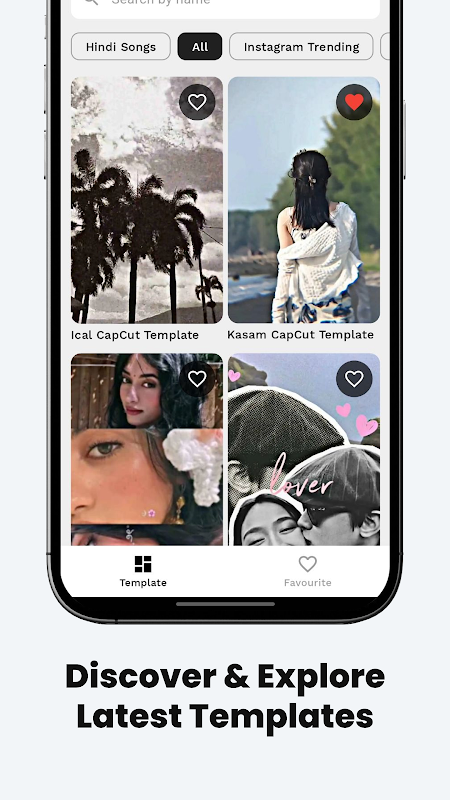
The C Template does the reverse of that model: instead of starting from scratch, you browse daily-updated categories – dance challenges, travel montages, comedy skits, party clips, vlogs – and tap the style that fits your content plan. With beat-synced cuts and baked in motion graphics in each template, your only job is to replace the placeholder clips with your own media. Its polished result took no curve tweaking, no hunting in effect packs.
Using templates is safe against copyright issues. This is because templates are simply a framework to add your own videos, images, and music. You will avoid getting a content strike for using templates as it does not bundle licensed music or songs like these apps do.
This makes C Template a safer bet for brands and influencers that monetize their channels and cannot afford to be taken down. The way of template-based video editors also allows beginners to produce professional output from day one, which equalizes the playing field with veteran editors.
One-tap workflow: Edit and export.
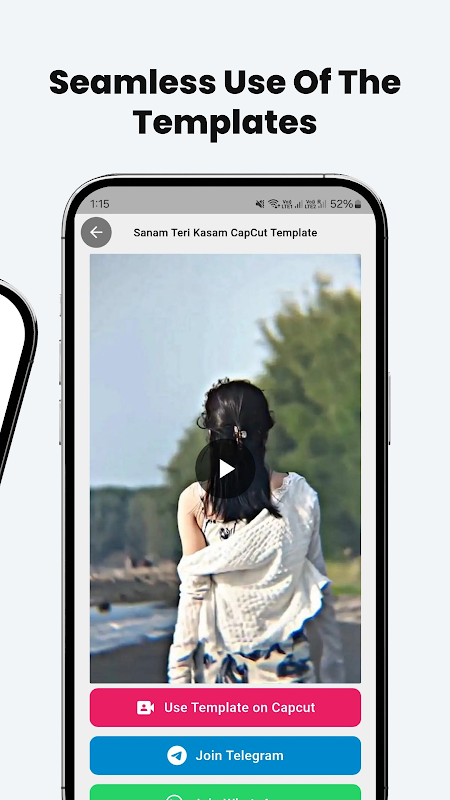
Open the app, scroll through the trending section, select a template and import clips from your gallery. The interface guides you through each slot hero shot, B-roll, closing frame then lets you preview with or without music. When you’re satisfied, tap export and choose resolution. It usually takes less than five minutes and you end up owning an HD file, with no branding overlay.
That speed matters when platforms reward frequent posting. Editors like CapCut or VN offer more control over the edits but take more time to edit. The C Template sacrifices advanced trimming and manual keyframing for the sake of velocity. Use this template if you batch make content or if a session tests out multiple creative angles. The model regarding a free video editor without subscription means that every template, every export quality tier, and any social share tool remain 100% unlocked. This is quite unusual in that market since most competitors offer a freemium paywall, allowing you to use only the more basic tools.
Daily templates for every trend.
Every day we release fresh new templates organised by theme and platform. You can use layouts that are optimized for a 9:16 aspect ratio and popular audio hooks to cut a YouTube Shorts editor Android piece or a Instagram Reels video templates carousel. The library keeps up with platform trends as it adds categories like travel, comedy, parties, and viral challenges.
5 Fast Editing Tips.
- To adhere to current algorithm tendencies, begin with the Trending tab.
- Before importing clips to the storyboard, trimming them can help speed up the slot assignment process.
- Use the music-sync preview to match your best beat hits with the music.
- Make sure to export at the highest resolution possible for best quality results.
- Select templates all at once, then change media later once you get inspired.
Get access to over 1,000 trending no copyright safe after creation templates and one-tap editing which allow your HD no watermark video editor output done fast with no subscription. For brands or influencers, where speed is more important than deep customization, C Template will take your raw footage and provide you with a share-ready clip before it’s too late. There are minor issues regarding how often ads come up and minor stability problems. However, it’s worth it for the main thing: publish more, edit less and fill up your content calendar.






No comments yet :(