

DENVER SMART HOME Review.
It quickly becomes tedious to manage lights, cameras, and smart plugs using various apps. DENVER SMART HOME for Android addresses this by combining all of your Denver branded devices into one app dashboard where you can turn things on and off, view security feeds, respond to alerts, and more all in one spot without constantly switching between apps and passwords.
Control your home from anywhere.
Remote access is the core promise here. With the app, you can control smart plugs, bulbs and security systems, whether you’re at work, on holiday or just up the stairs. Turn on the light before getting home, arm the alarm once you remember that you forgot and check an IP camera live view on phone to see who is at the door.
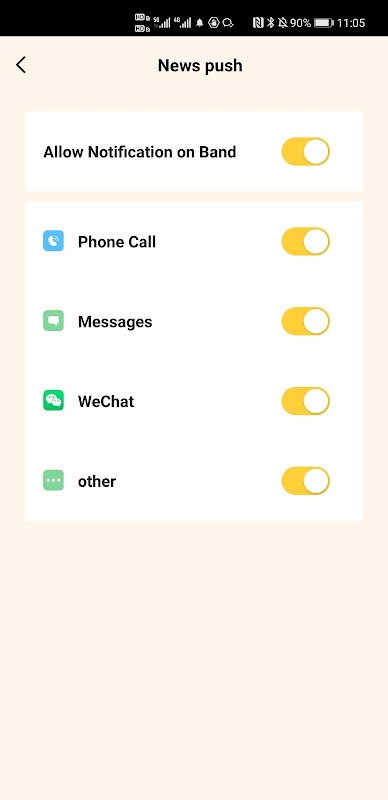
The Denver Smartwatches are also supported as an Android smart home companion by the app. When connected to a compatible wearable, the exercise data is synced and phone calls, SMS and app notifications from the smartphone are mirrored on the wrist. This is handy if you own Denver fitness products. The smartwatch fitness and notification sync feature differentiates it from pure smart home controllers which completely ignore wearables.
That said, reliability is inconsistent.
Users often say that their cameras will not connect, that video will freeze while playing, and that motion events do not record. I get late notifications (or not at all) of when the door is opened or closed, and also my Wi-Fi drops sometimes which requires me to reboot the whole router to get control back. For safety jobs where time is vital, these delays are annoying.
One app to manage every device.
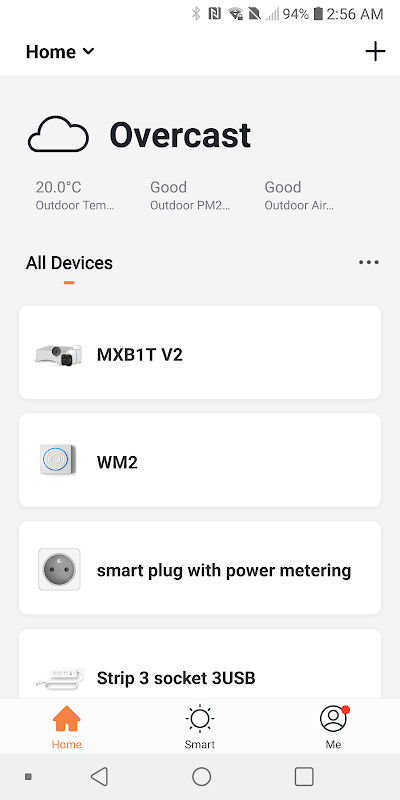
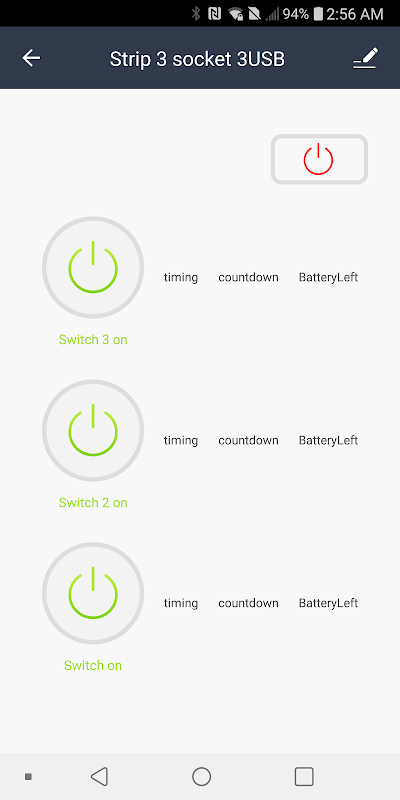
DENVER SMART HOME can be used as a multi-device smart home hub. It provides you with capabilities of controlling all paired devices at the same time in one interface. With multi-channel control, you can activate many sockets, change the intensity of various lights or view feeds of various cameras without switching screens. The dashboard design is about function over style. All the buttons are basic. There is no ornate style. Instead, it has the basic controls in focus.
The device has a built-in feature for sharing within a family. Give your household members access with a single tap so anyone can respond to the doorbell camera, turn off the alarm, or deactivate an appliance you forgot to turn off. Families or roommates who want equal access without sharing passwords can use this model.
Set up fast and share instantly.
New hardware connects to older products, and while it is marketed as quick, it works. When it does work, it connects in a matter of minutes. Here are four tips to smooth out the process.
- Make sure to keep your device within three feet of the pairing phone for a strong initial Bluetooth or Wi-Fi handshake.
- First restart your router before you add multiple devices, or you will run into IP conflicts that’ll drop the connection later on.
- Update the device firmware through the app to fix bugs and make the camera stable after pairing.
- Before you really need your family to assist you, set them up with shared access so alerts will be sent to them when you cannot respond.
The app is free of charge, there are no in-app purchases and happenings – it’s basically bundled software on Denver hardware. That zero-fee model is alluring to cost-sensitive families already invested in Denver devices. The problem comes 3.1 stars which once again suggest broken video, missed alerts, and flaky connectivity. In this regard life is not as stable as more polished ecosystems like Google Home or Alexa. Don’t depend on this version for solid performance related to security monitoring. If you’re after a straightforward smart home control app for Denver gear and can put up with a few hiccups, it gets remote control and multi-device coordination for free.






No comments yet :(