

Change Your Phone into a PC Mic.
EZ Mic lets you turn your Android device or iPhone into a wireless microphone for PC. It will allow you to communicate and record clearer sound. With this app, you can stop ordering hardware and waiting days. Instead, it lets you use your smartphone as a wireless microphone that sends audio to your Windows computer wirelessly over Wi‑Fi. Anyone who needs to call out tactics in Discord, join remote Zoom meetings or record commentary as a streamer can forget about buying a USB mic and get going in minutes.
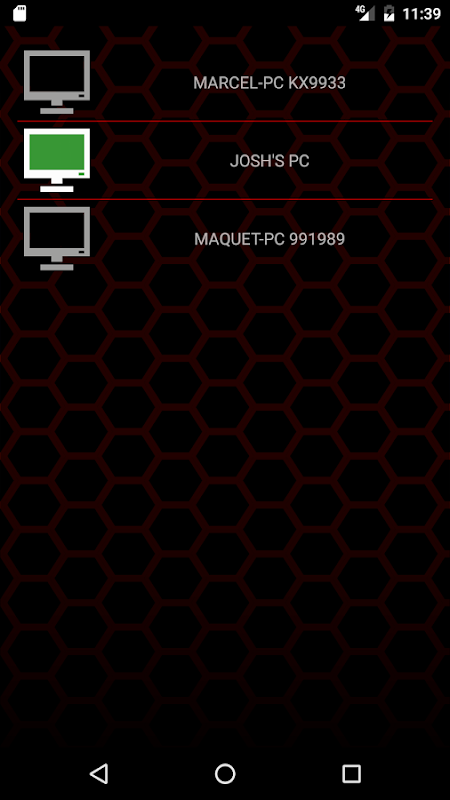
Get your EZ Mic up and running in three easy steps: First, download the application to your Android device. Most Android devices will support this app. Finally, make sure you connect the two devices to the same Wi‑Fi network. The app will automatically search your LAN for available computers which are presented in a list. By tapping on your PCs name, your phone acts as an audio input and Windows detects it as a microphone. In the Discord microphone from smartphone sessions, you can use EZ Mic as input. This wireless mic for Zoom and Skype calls, works flawlessly on any recording software that recognizes standard audio sources.
The latency is lower than from cloud systems, and your voice data stays on your private local area network (LAN) because everything runs over your local network. The application supports real-time transmission, as there is little delay between what you say into your phone and what reaches the PC. This feature is critical for gaming callouts and live streaming in general. Even half-second lag will disrupt the flow.
Manage audio quality like a professional.
You can adjust the volume and quality controls of EZ Mic to get the perfect clarity depending on the acoustics of your room and how far away you sit from the device. The app comes with voice effects like tune, morph and choir but also professional processing options such as reverb, delay, chorus, EQ, compression, filter and control level, on top of basic gain settings. These tools transform a simple microphone app for streamers into a creative toolkit for podcasters and musicians seeking to alter their sound on-the-go.
As a result, it is compatible with numerous PC apps that can need multiple codecs and audio storage formats. EZ Mic exposes you to the world of spatial sound and lets you try out 3D audio. You can experiment with stereo, surround and speaker-array setups even without having any dedicated hardware.
Play audio clips and sound effects in 3D.
EZ Mic stands out with integrated soundboard feature, unlike basic use phone as PC mic utilities. Get any audio sample you want by importing clips or tunes into the apps library. Play them during live performances! Perfect for intro music, sound effects in games, or vocal samples during gigs. When paired with the voice-effects suite, your Android device becomes a microphone as well as a portable sound playback deck.
Nonetheless, the free package limits unbroken audio taking to only a few minutes. Thus, youll have to stop fairly often unless you pay to extend this. People have stated that the app can crash and disconnect every so often, mainly in crowded Wi-Fi environments. Moreover, it does not feature any sensitivity control other than volume. It is essential that both devices are on the same network because there is no USB or Bluetooth fallback if your router fails.
Five Quick Setup Tips.
- To prevent noise while recording, place your phone on a phone stand/tripod instead of holding it.
- Close any apps that use a lot of bandwidth on both devices to avoid audio dropouts and latency spikes.
- Before streaming, test out the connection in the room you are going to use to ensure that there are no dead zones.
- Try different EQ and compression presets to find a vocal profile that is audible through game audio or background music.
- Have a spare wired headset handy just in case Wi-Fi issues interrupt your call in progress.
EZ Mic is the low-cost mic alternative that includes soundboard and voice effects that rival dedicated hardware and offers 3D audio microphone streaming for more spatial experiments. If you can overlook the free-tier time limit and occasional crashes, its a good little studio for anyone who wants professional-sounding input without desktop clutter.


No comments yet :(