
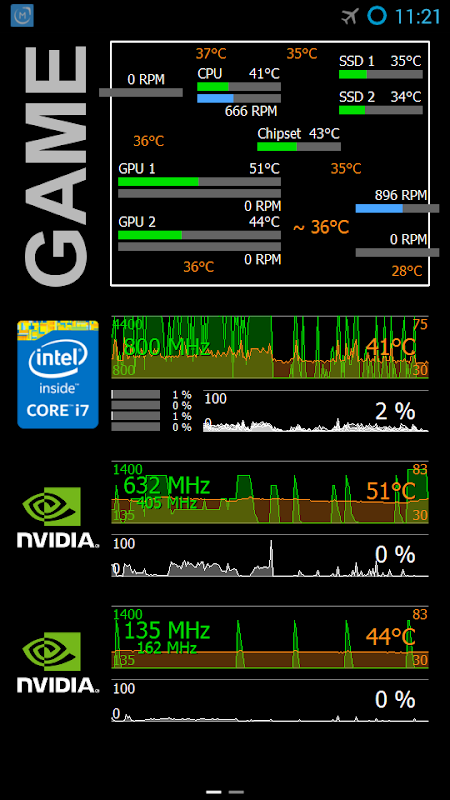
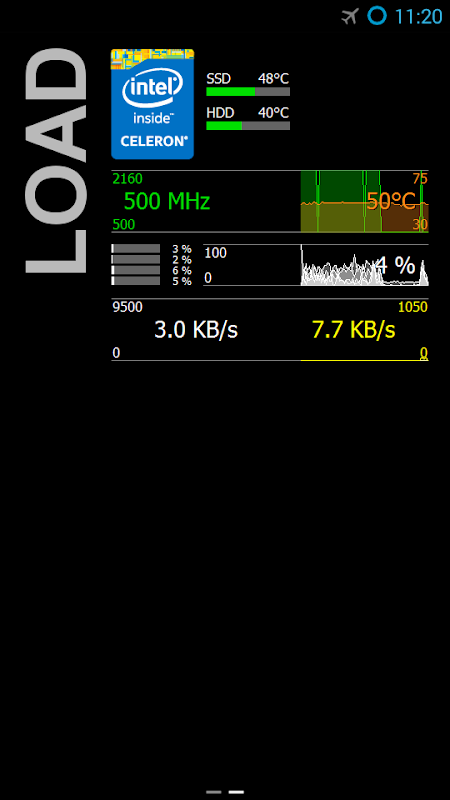
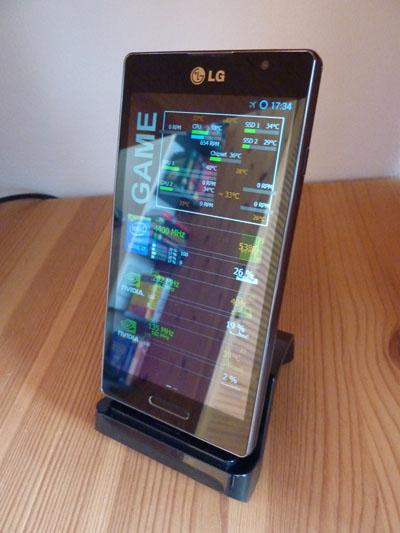
Remote Panel for Android turns an unused smartphone or tablet into a hardware monitor for a Windows PC. Have you ever wanted an external, always-on-screen showing CPU temps, GPU loads and fan speeds? With this free utility, you can have that and more, without paying a penny – provided that you don’t mind some technical setup!
Turn spare phones into PC displays.
Remote Panel turns old Android devices into a PC hardware monitoring display using the AIDA64 system-information suite. You see useful information right in front of you. Instead of squinting over at your taskbar widgets or constantly alt-tabbing to your favourite monitoring software, you get a full-screen dashboard on a separate device.
AIDA64 on Windows autonomously collects real-time PC sensor values via ADB (temperatures, voltages, clock speeds, network throughput). It is a thin client. A USB bridge sends the data (Remote Panel for Windows). The Android app presents it with a customizable layout. To open the settings brightness, orientation, keep-awake toggles simply long-press the screen. The real work occurs in AIDA64’s LCD configuration panel, where you choose what sensors appear and how.
The tradeoff is complexity.
To set it up, you need to turn on USB debugging on your Android phone. You will have to download the vendor ADB drivers and install them. Next, run the bridge app, which is based on .NET, and install the Odospace LCD plugin inside AIDA64. If you want AIDA64 to automatically launch the Remote Panel when you plug in your USB, you will need a third-party app like AutoStart or AutomateIt Pro. AIDA64 itself is commercial software. The app is free, but AIDA64 requires purchase.
After it has been configured, however, the system will be as solid as a rock: enthusiasts report 24/7 always-on monitoring of gaming rigs and home servers.
USB connection no WiFi needed.
Remote Panel sidesteps network dependencies entirely. The app uses Android Debug Bridge on USB so there’s no WiFi lag, congestion from your router, or IP configuration. The use of this USB sensor panel for Windows is perfect for permanent desk setups or server racks where you want a display cabled directly to the machine. If you have development skills, the SDK supports custom integrations to extend AIDA64’s functionality.
As everything is USB powered, you avoid constant Wi-Fi polling drain. If you pair the keep screen on option with a charging cable, the device becomes a monitor that you wouldn’t have to pay anything for except the electricity to power it.
Monitor multiple PCs on one screen.
You can now use Remote Panel to consolidate sensor feeds from multiple Windows computers on a single Android device. If you manage several PCs like a workstation and a media server, then configure AIDA64 on each, point them at the same Android panel over the network (or rotate USB connections) and view multi-PC sensor monitoring via AIDA64 in one place. The Windows performance metrics on Android tablet feature is great for home-lab admins who prefer a single display versus multiple screens.
5 Quick Wins.
• No subscriptions, no in-app purchases. Ad-free operation once AIDA64 is licensed. Zero recurring cost.
• AIDA64 offers the option of fully customizing the UI including the layout of the text, gauges, graph, and much more.
• You don’t need an internet connection to use it. All data stays local when used over USB or LAN.
Remote Panel is made for PC lovers who prefer their sensor readouts to be external rather than internal and don’t mind some initial setup. Integration with AIDA64 LCD panel on Android offers reliable, granular data, while USB transport ensures low latency and no network overhead. If you have an Android device lying around that you don’t use anymore, be sure to download it now and get an instant, fullscreen, hardware dashboard.



No comments yet :(