
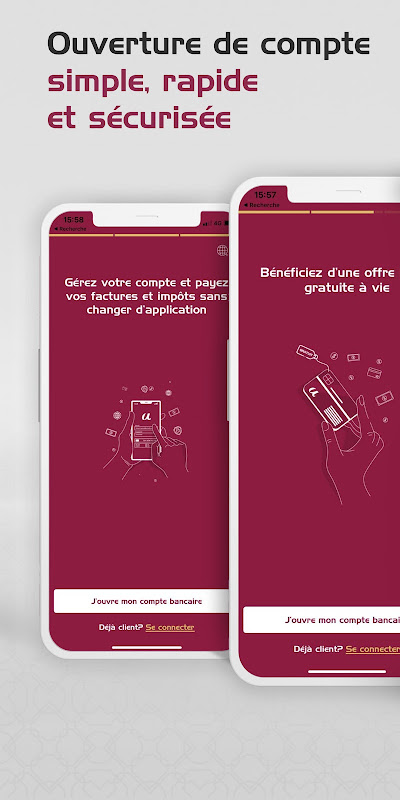
ULINK for Android (mobile banking app) is a localized application that enables the whole banking branch to fit in your pocket.
You can check your balances, transfer funds, and make payments without standing in queue or using a desktop browser.
Login fast with banking-grade security.
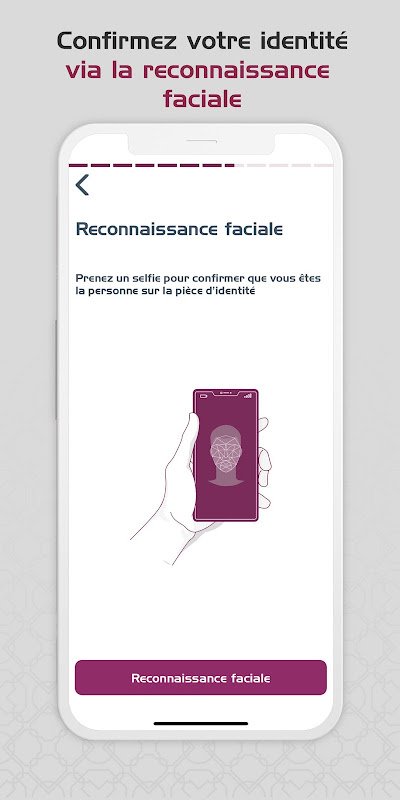
When you first log in to ULINK, you will use the accredited username and password that you already use for an existing bank or telecom affiliated financial service. The Android banking app supports the usual two-factor verification – most often SMS one-time passwords – or other biometrics such as fingerprint or face unlock on newer devices. Device binding means your session is linked to your phone, so no one else can log in even if they know your password. When you get in, a notification for every login and the transaction acts as an additional watchdog. Thus, any suspicious activity becomes visible.
Overview: balances and recent transactions.
When you log in, you will see the home screen that contains the current balances of all your accounts and cards in one single feed. Recent transactions by date. Deposits incoming, payments outgoing and merchant purchases. Scroll down to see those transactions.
Simply tap on an entry to view the full details, such as the payee name, reference number, and timestamp. This makes it easy to track spending or check that a bill was paid. Your local language and currency are set up as defaults in the interface so that you do not have to second-guess your use which can happen with many global finance apps.
Send money and pay bills in seconds.
Transfers are the heart of ULINK. You can transfer money instantly to your own accounts or send it to your third-party beneficiaries by simply inputting an account number or choosing a saved contact. To pay bills, you will see a few common utilities on the online bill payment module like electricity, water, internet where you can scan or type the invoice number to pay the dues on the spot. You can top up your mobile just as quickly. Choose your operator, enter a number, choose an amount and confirm! The three pipelines send real-time transaction alerts to your notification shade, so you know the moment a transaction occurs. You can view your card and set a spending limit. You can also block your lost card on the app and do not call us.
5 Quick Setup Tips.
- Save beneficiaries to not have to enter account numbers again after the first transfer.
- Turn on the biometric option in the Settings area to save you 10 seconds.
- Enabling push notifications for all transactions can catch fraud early
- Save the utility users so when you wish to make a payment they appear first.
- Load up your frequently recharged phone number with amounts in advance – just one tap!
The tradeoff: convenience versus global features.
ULINK is ideal for performing simple, day-to-day banking tasks quickly, without going to the branch, logging onto the website or using a paper slip. You can make domestic transfers, pay local bills, and top up your airtime through the digital wallet services on a single interface in your language and the way you love to pay. Your money is well-protected and always secure with our bank-grade security system, which helps the systems to be on high alert.
That convenience comes with limits. The app requires a stable internet connection and cannot work offline, so anything less will freeze. The features are behind those of the global neobanks. You can expect them to have fewer budgeting tools, no multi-currency accounts, and minimal international remittance options. Sometimes, updates come out so randomly that some users on old Android versions still have not received fixes yet. In the end, the app may not charge you anything, but the bank that owns the app may charge you and others on the backend.
ULINK offers fast, secure Android banking for local needs that works for existing customers of our bank or telecom affiliate. Make cashless payments using QR code at merchants, recharge mobile instantly & shortcut to every other essential banking a click away!


No comments yet :(