
Wavelet: headphone equalizer

- Updated
- Version 25.12
- Requirements Android 10+
- Genre Apps / Music & Audio

The sound of your headphones doesn’t reflect the engineer’s intention. Various models alter sound differently some fill out bass frequencies, others weaken vocals, many cut bass early. Wavelet headphone equalizer for Android solves this by letting you apply your correction across the system so that every app you use on your device gets corrected. No need to root your device or tweak per app settings. With it, your Bluetooth buds or wired cans will be turned into reference-grade monitors.
5000 Headphone Presets For AutoEq Profiles
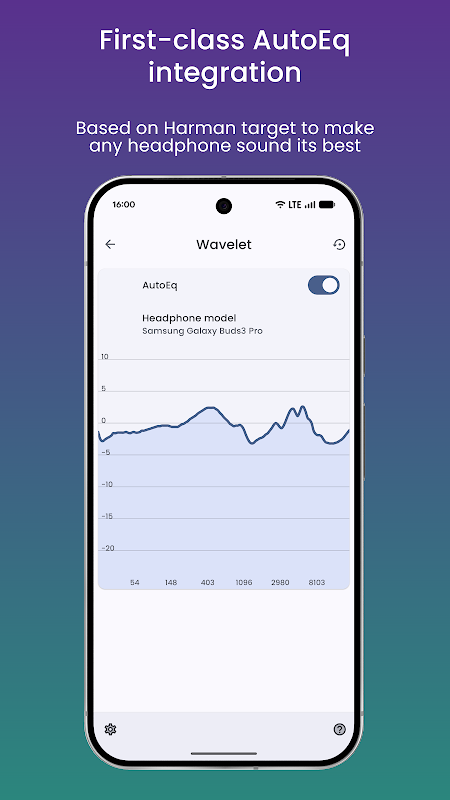
Wavelet has a unique AutoEq integration. The app comes with more than 5,000 headphone specific EQ profiles that have been tuned to the Harman target curve tuning, the studio standard for balanced high-fidelity playback. Choose your model from the database Sony WH-1000XM5, Sennheiser HD 6XX, AirPods Pro, whatever and Wavelet applies a correction curve that flattens frequency response and achieves neutral headphone calibration.
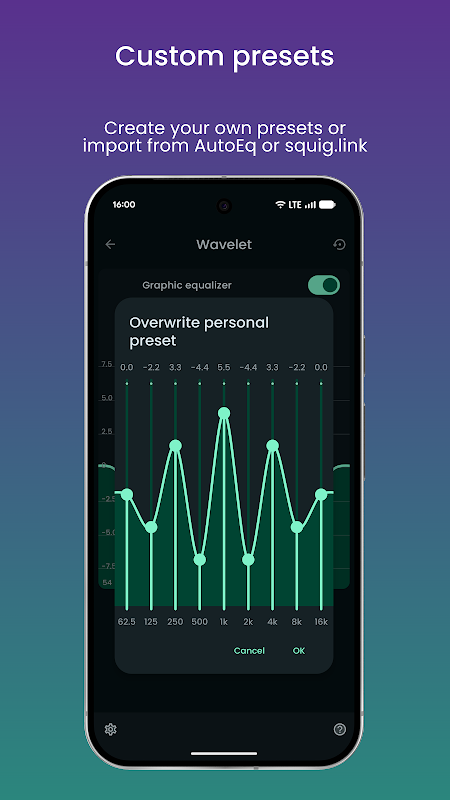
This bass boost isn’t generic. Each preset is based on actual measurements, correcting for the peaks and dips inherent in your headphone’s driver and enclosure. You can import custom AutoEq files from autoeq.app or squig.link to create a tuned profile for your model.
Automatic detection of outputs Wired, Bluetooth, USB.
Wavelet observes the routing of your audio and switches profiles quickly. When you plug in wired earbuds at the gym, your saved preset is loaded. When you connect Bluetooth headphones at your desk, a different EQ curve will kick in. Plugging in the USB DAC produces the same effect. The app detects any changes to output, and recalls the right settings all by itself. As such, the app becomes set-and-forget, which is great for users that regularly swap-out headphones.
This approach takes everything into account. Wavelet works on Spotify, YouTube Music, local files, podcasts, games, and anything that touches the Android audio stack.
Tools that are not visible include limiter, balance, loudness compensation.
In addition to AutoEq, Wavelet comes with professional processing tools that most audiophile equalizer apps for Android do not offer. If you like to adjust your device manually, you can make use of the nine-band graphic equalizer. A limiter with automatic preamp adjustment will result in no clipping and distortion when you boost.
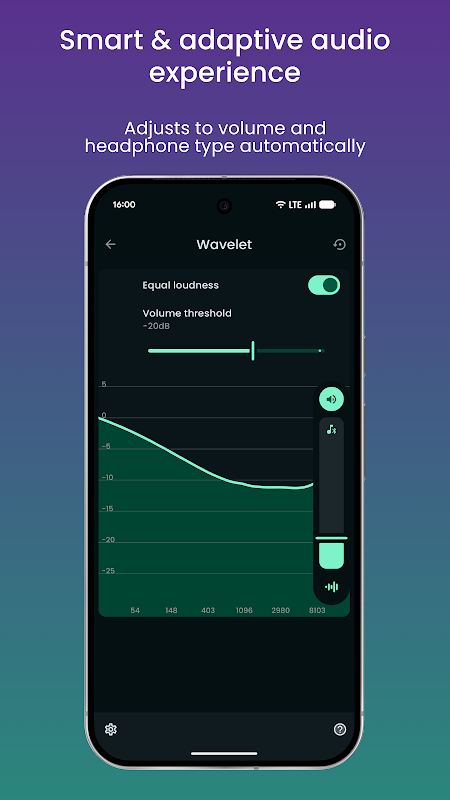
If your ears do not hear equally, or your headphone drivers have a mismatch, the channel balance adjustment will correct the left and right volume accordingly. Equal loudness compensation following ISO 226 keeps perceived tonal balance as volume is turned up and down. This makes sure bass does not disappear at low volume.
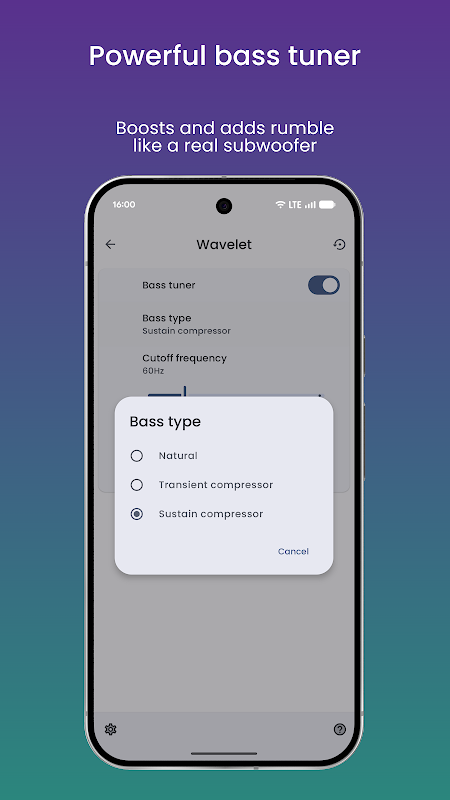
Unlike simply turning the 60 Hz knob up, the bass tuner recreates the physical displacement normally associated with a subwoofer’s sound. Virtualizer widens the soundstage while reverberation recreates the acoustics of a room; both are useful for creating a virtual surround sound for headphones. The free version has basic EQ, AutoEq and a limiter. In Pro, further volume normalisation controls are added. You also get enhanced bass boost and subwoofer effect controls and other spatial processing.
Five important tips
- Adjust headphone to AutoEq first, followed by small manual adjustments – corrective EQ stacks better on a flat base.
- Turn on the channel balance if one ear sounds quieter; even a small 1–2 dB depends on how loud the sound is.
- Use the limiter’s auto-preamp gain if you are boosting bass or presence peaks to avoid clipping.
- You can save different profiles for using these headphones at home, work, and while commuting.
- You can import measurement data from squig.link in case the obscure IEM is not present in Wavelet’s 5,000+ preset library.
Some users are having issues with the background service which stops processing until restarted.
Wavelet 2023 headphones tuning improves audio quality of your headphones on Android. The app uses system-wide, AutoEq-powered tuning as well as has smart protections and spatial tools. Simply install the app, touch the apparatus and listen the difference. If you are serious about headphone sound quality on Android, it remains the most capable, measurement-driven EQ solution you can buy.


No comments yet :(